
Jun 2025 - Oct 2025
Bachelor Thesis - Building a VS Code Extension
VS Code extension that adds support for an educational programming language
About the project
For my bachelor's thesis, I wanted to build something practical. The computer science department at my university uses an educational programming language called "While*", and the only way to write code for it was through a restrictive, browser-based tool.
As a developer, I knew this wasn't an ideal experience. Students were used to powerful, modern editors like VS Code, and this web tool was slow, required an internet connection, and felt disconnected from their workflow.
My goal was to fix this. I decided to build a full-featured VS Code extension that would serve as a complete replacement, giving students a modern, powerful, and convenient environment to learn in.
What I Built: A Complete IDE for While*
The final result is an extension that brings the entire While* ecosystem directly into VS Code. It provides all the language features students need, right in their editor.
Core Educational Features
The extension replicates all the core functionality from the original web tool—and because it uses the same trusted backend logic, the results are 100% identical Students can:
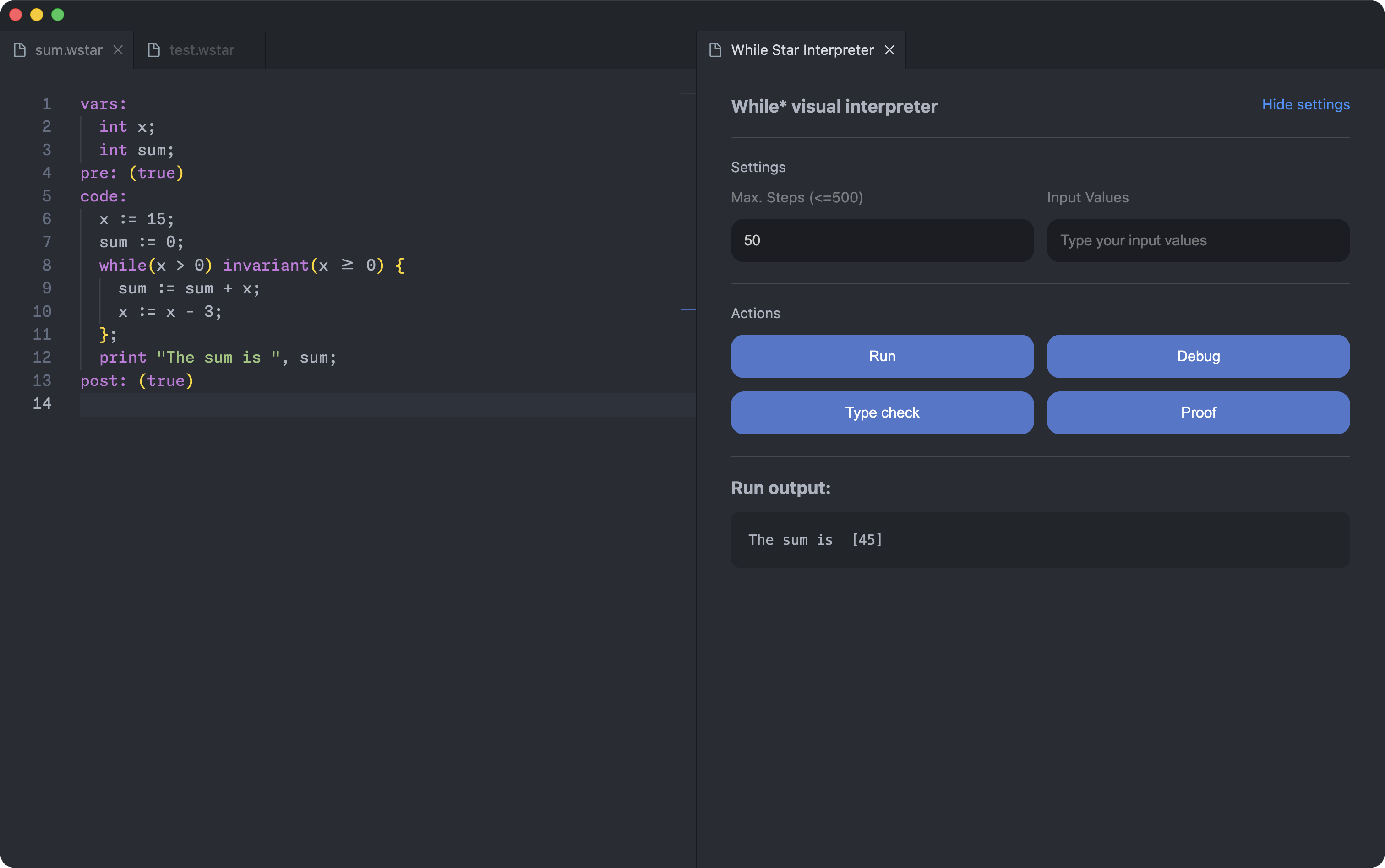
- Run Code: Execute their programs and see the output immediately.
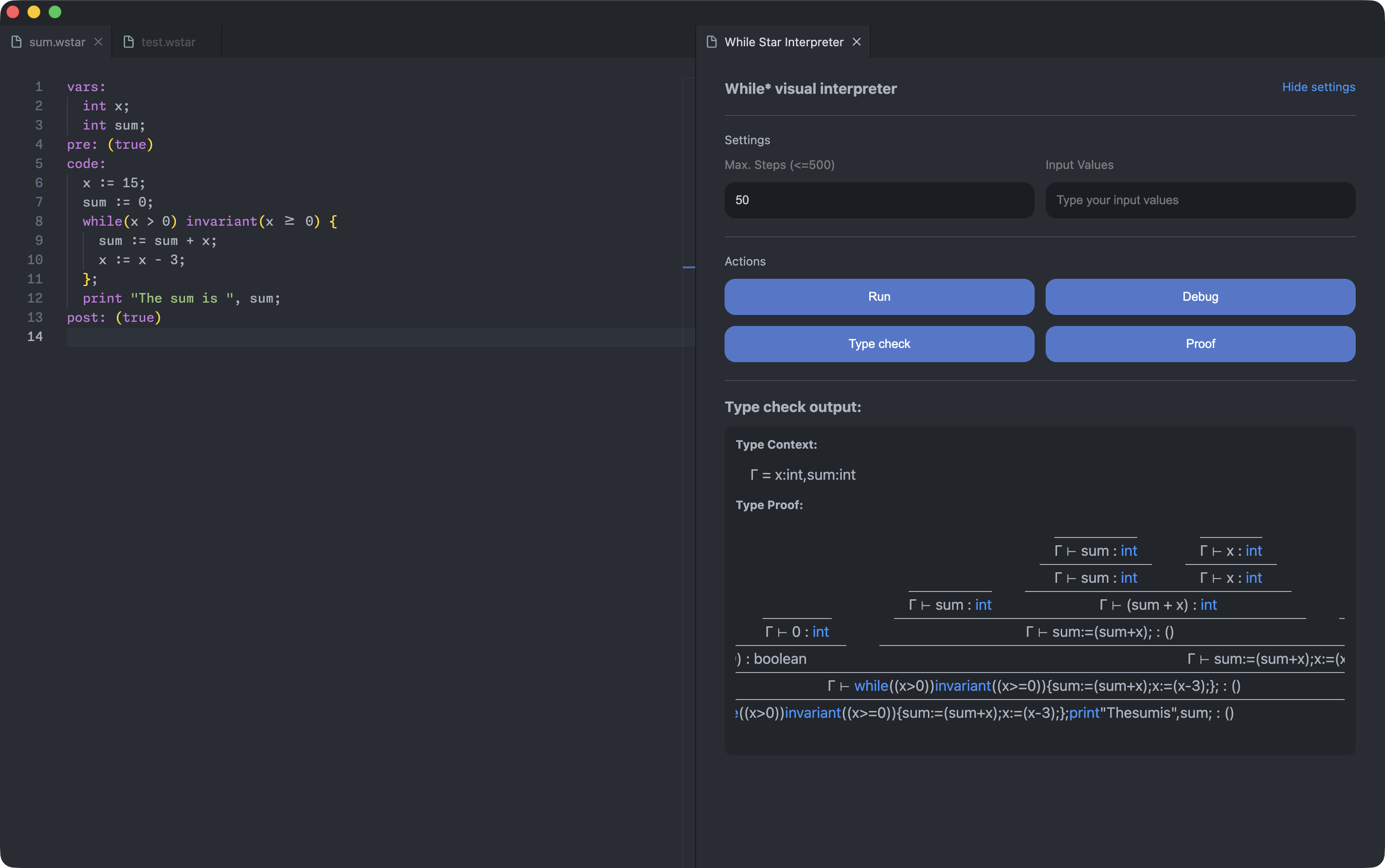
- Type Check: Run the type checker to get a formal proof that their program is type-safe.
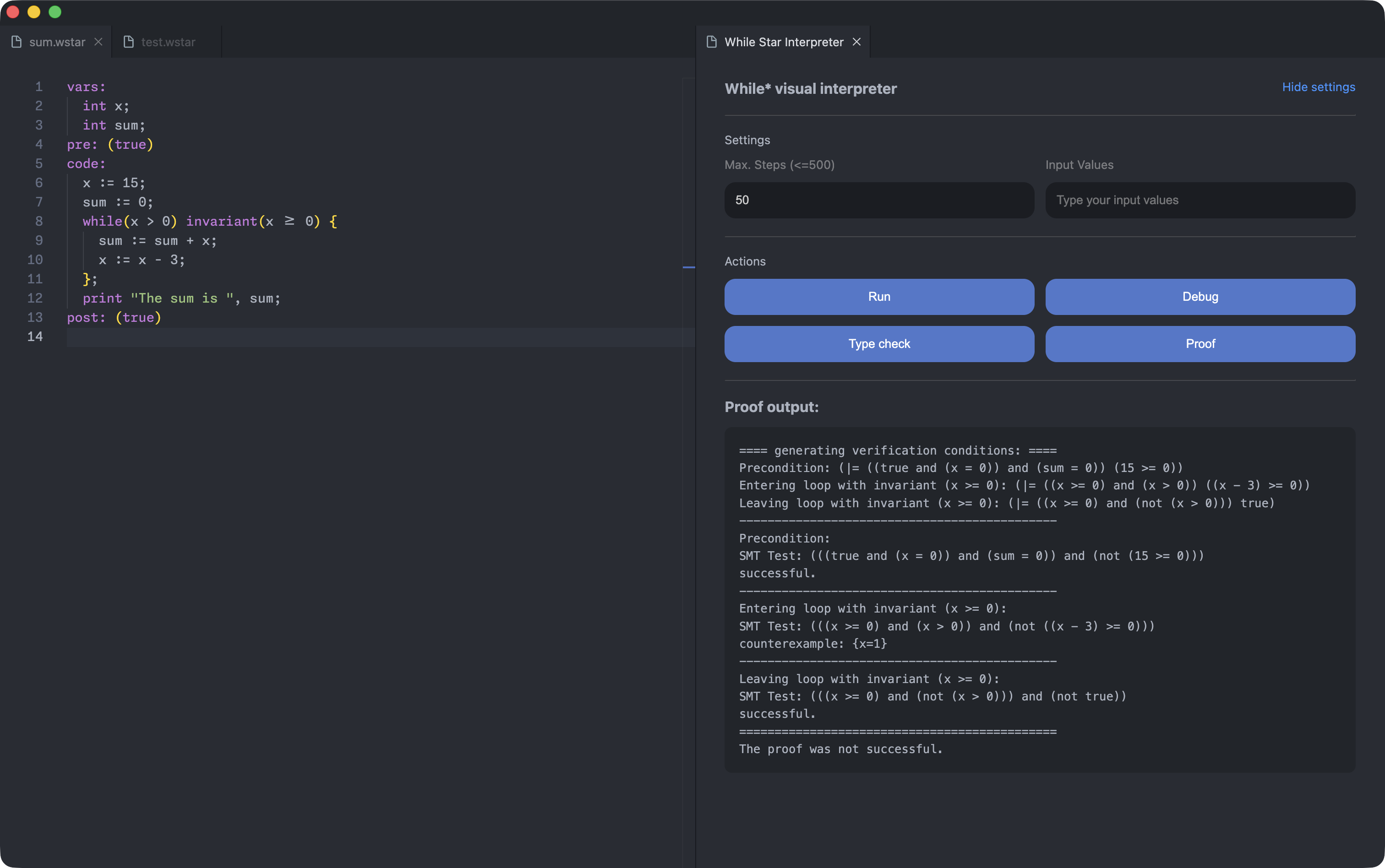
- Verify Proofs: Use the Hoare logic verifier to check program correctness against pre- and post-conditions.
A Powerful, Integrated Debugger
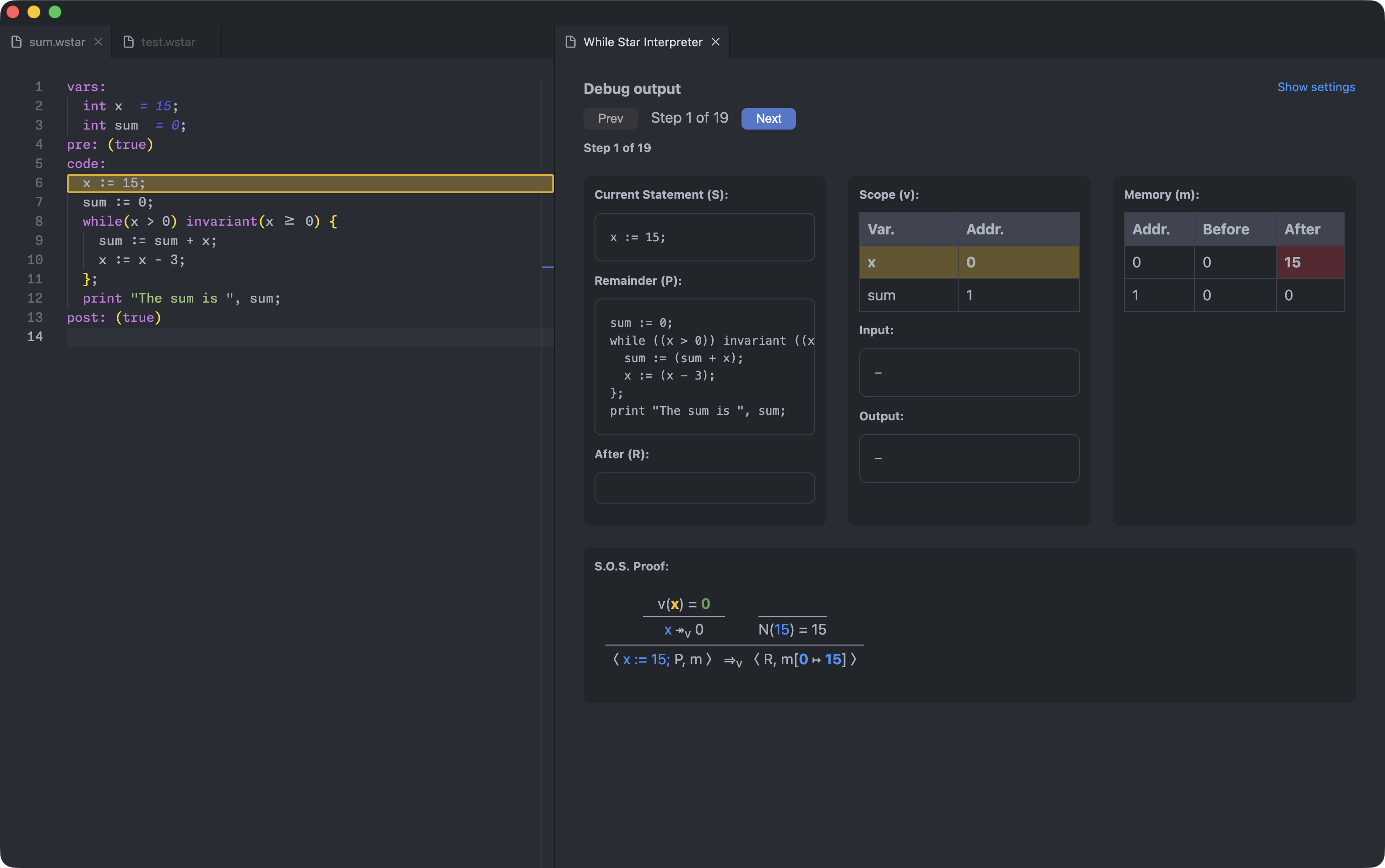
This is the feature I'm most proud of. I went beyond simply showing debug information in a panel. I built an immersive debugging experience that uses the VS Code editor itself to visualize what's happening.
As you step through the code, you can see:
- Active Statement Highlighting: The exact line of code that is currently being executed is highlighted in the editor.
- Inline Variable Values: The current value of each variable appears directly in the code, right next to its name.
- A Detailed State Panel: A side panel shows the complete program state, including variable scopes, memory, and the formal proof for the current step.
This makes it so much easier for students to understand how their program is executing, step-by-step.
Modern Editor Support
To make While* feel like a "real" language in VS Code, I integrated a full language server:
- Syntax Highlighting: Keywords, comments, and strings are all colorized, making code much easier to read.
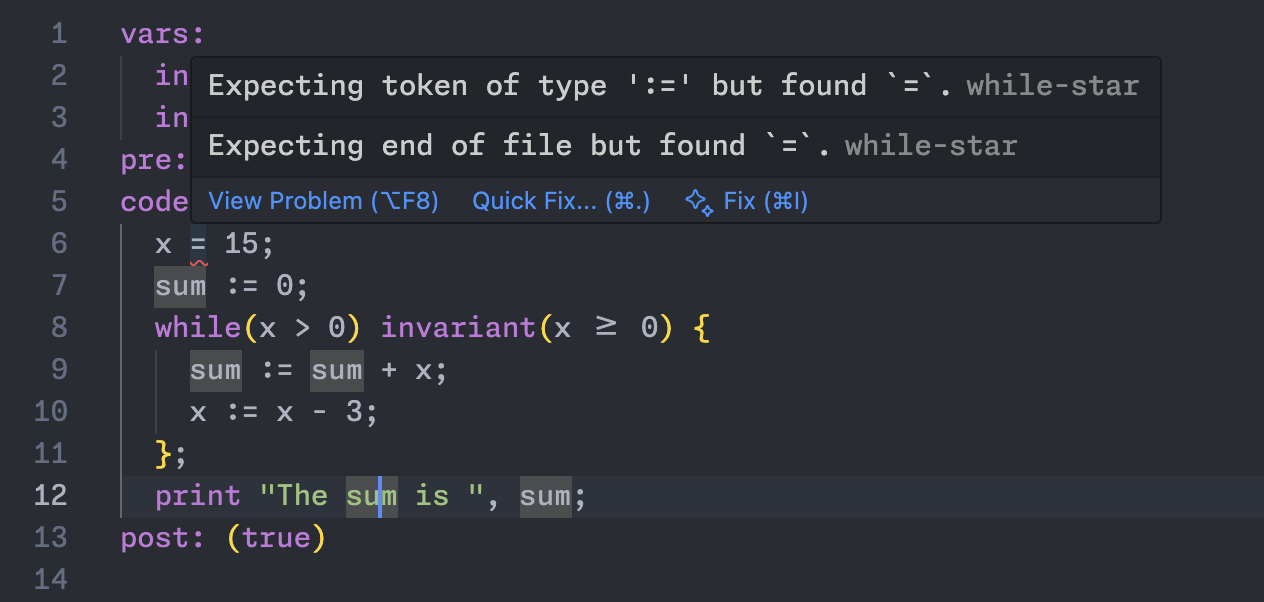
- Real-Time Error Checking: The moment you type a syntax error, a red squiggly line appears under it with a helpful message—no more waiting until you try to run your code to find a typo.
The Final Result
The extension is now a feature-complete, viable alternative to the old web application:
- Offline-First: It works perfectly without an internet connection.
- Fast: It runs entirely locally, so there's no network latency.
- Integrated: Students can now use their favorite editor, themes, and even tools like Git, all in one place.
This project was a fantastic experience in building a complete, polished tool for developers. I was able to manage a complex project, solve challenges to ensure a smooth user experience (like bundling the backend so no Java is required), and deliver a final product that genuinely improves the student workflow.
Bachelor thesis project at TU Dortmund University, 2025